Instagram
Media
Grid
Overview
BACKGROUND
On Instagram, you can convert a normal account into a professional account and get a set of new features. One of the surfaces is Insights where you can see how your content & ads have performed.
AUdience
We are targeting creators and businesses who have a professional account and post organic or paid content (Ads) on Instagram.
Goal
Help users understand the performance of their organic and ad content. Helping users re-create success so that they can growth their IG account.
Instagram Professional Tools
Creators & businesses have access to these tools on the Instagram app. They can easily see how their organic and paid content (Ads) are performing.
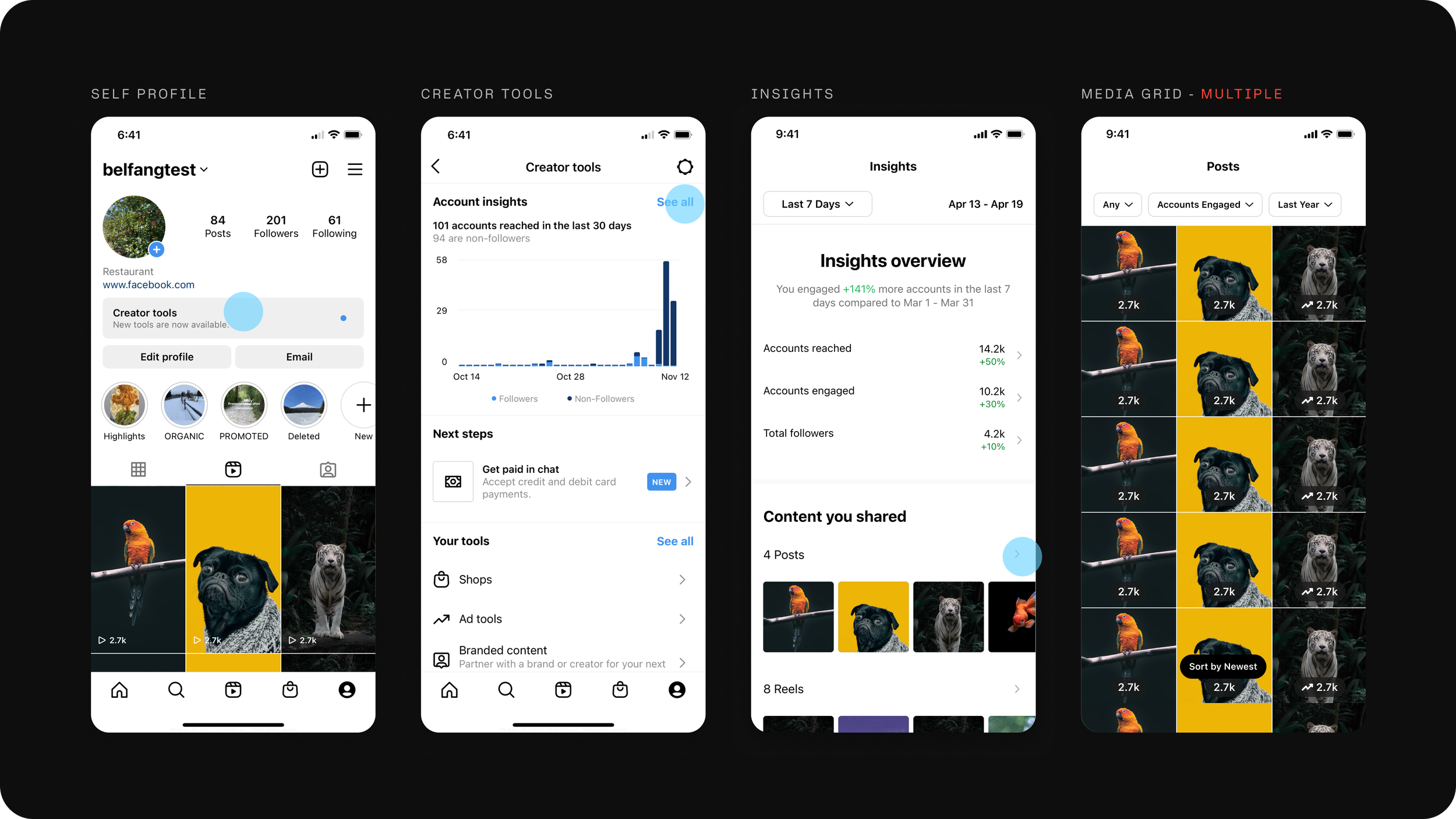
One of those tools is the Media Grid. There is one for each type of content (Reels, Stories, Posts, Live Video, etc.)
Problems
PROBLEM 1
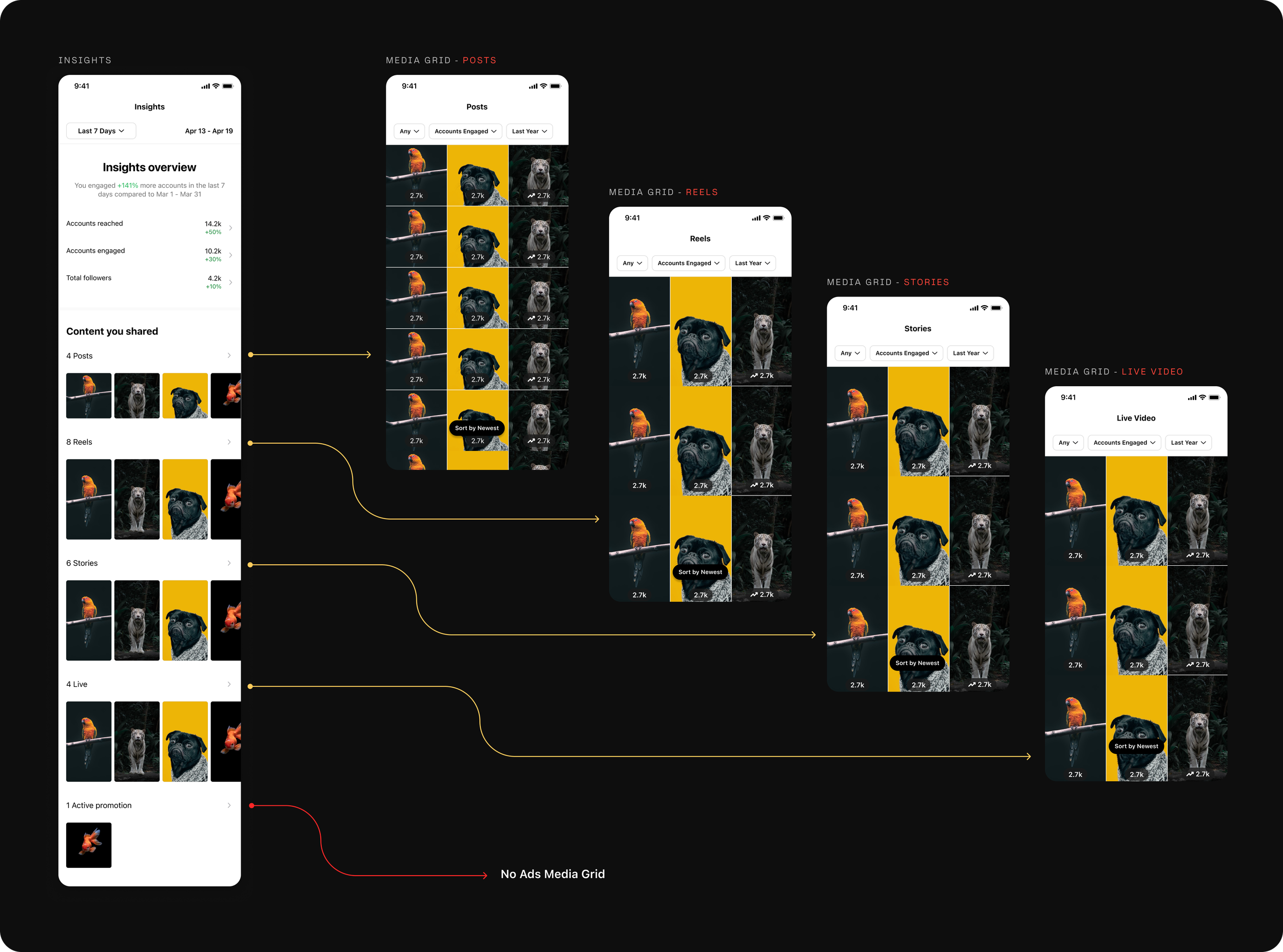
Users can only see one media grid at a time, either post or stories or reels or live video. Users have to do a lot of back and forth to see how different types of content is performing across their account.
PROBLEM 2
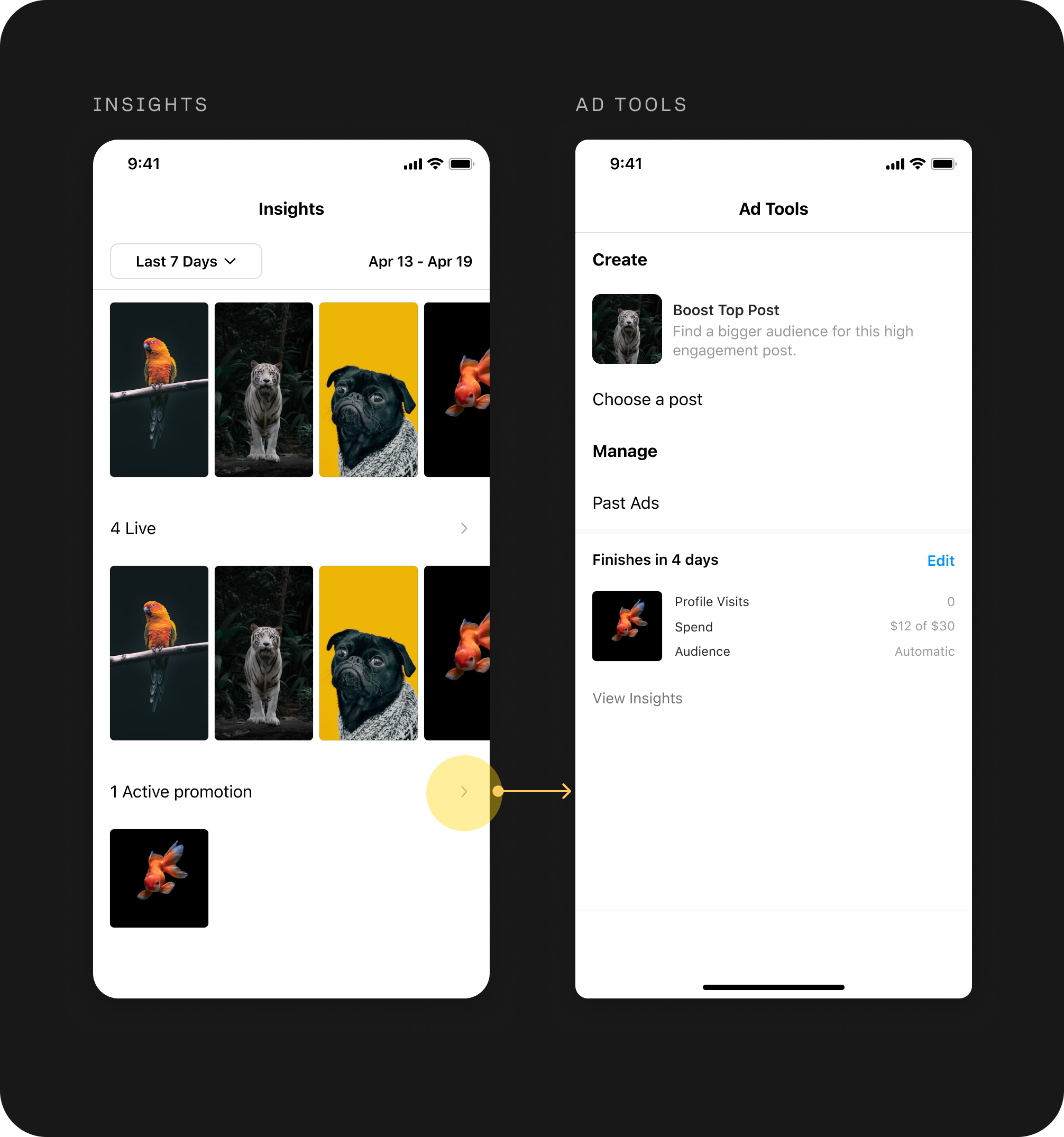
Current media grid takes the user to a Ad Tools page which doesn’t show any information about how the ad has performed.
PROBLEM 3
Lot of design related issues like
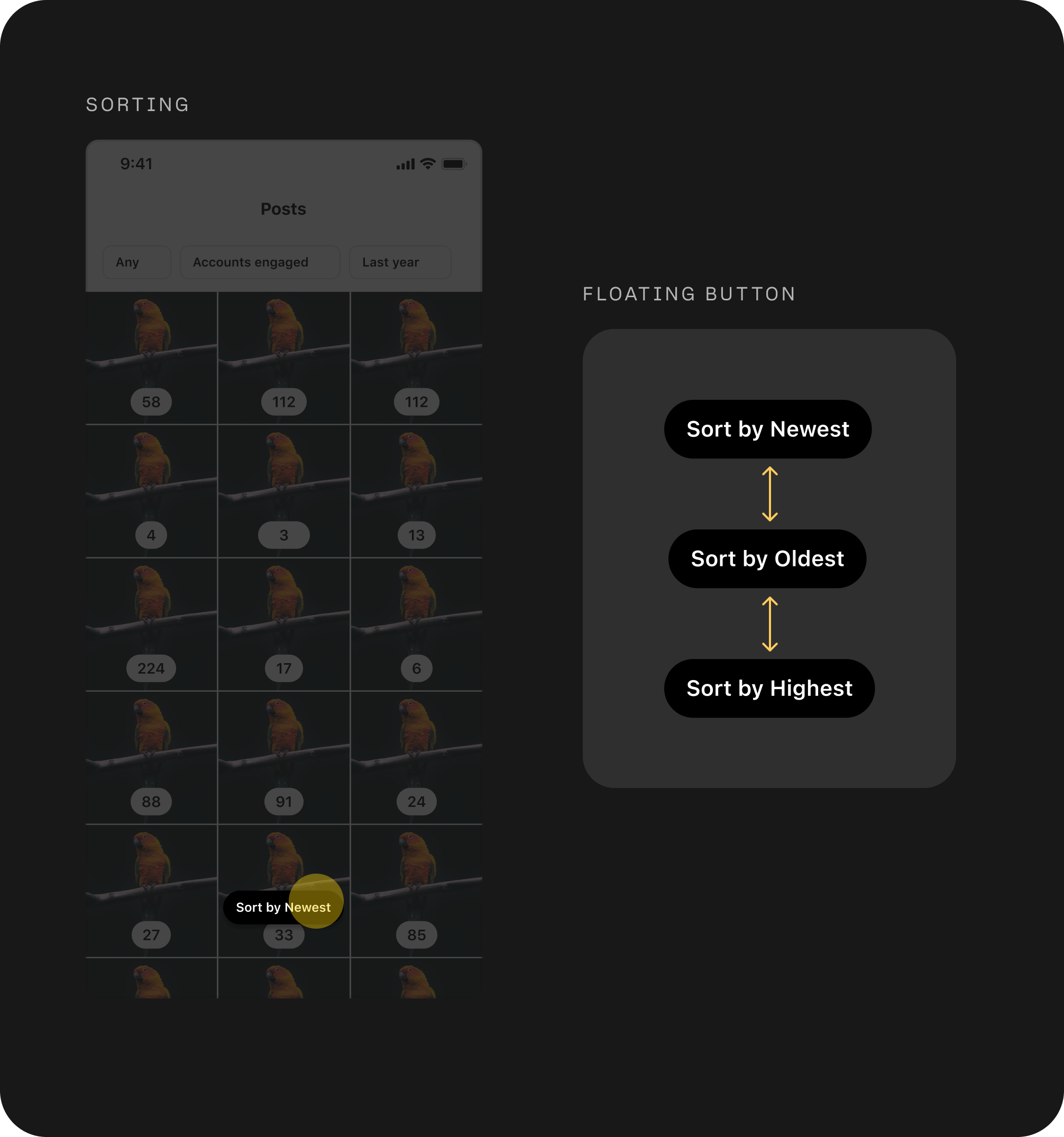
- Sorting component not matching the design system
- Thumbnails are inconsistent across Reels, Posts and Stories
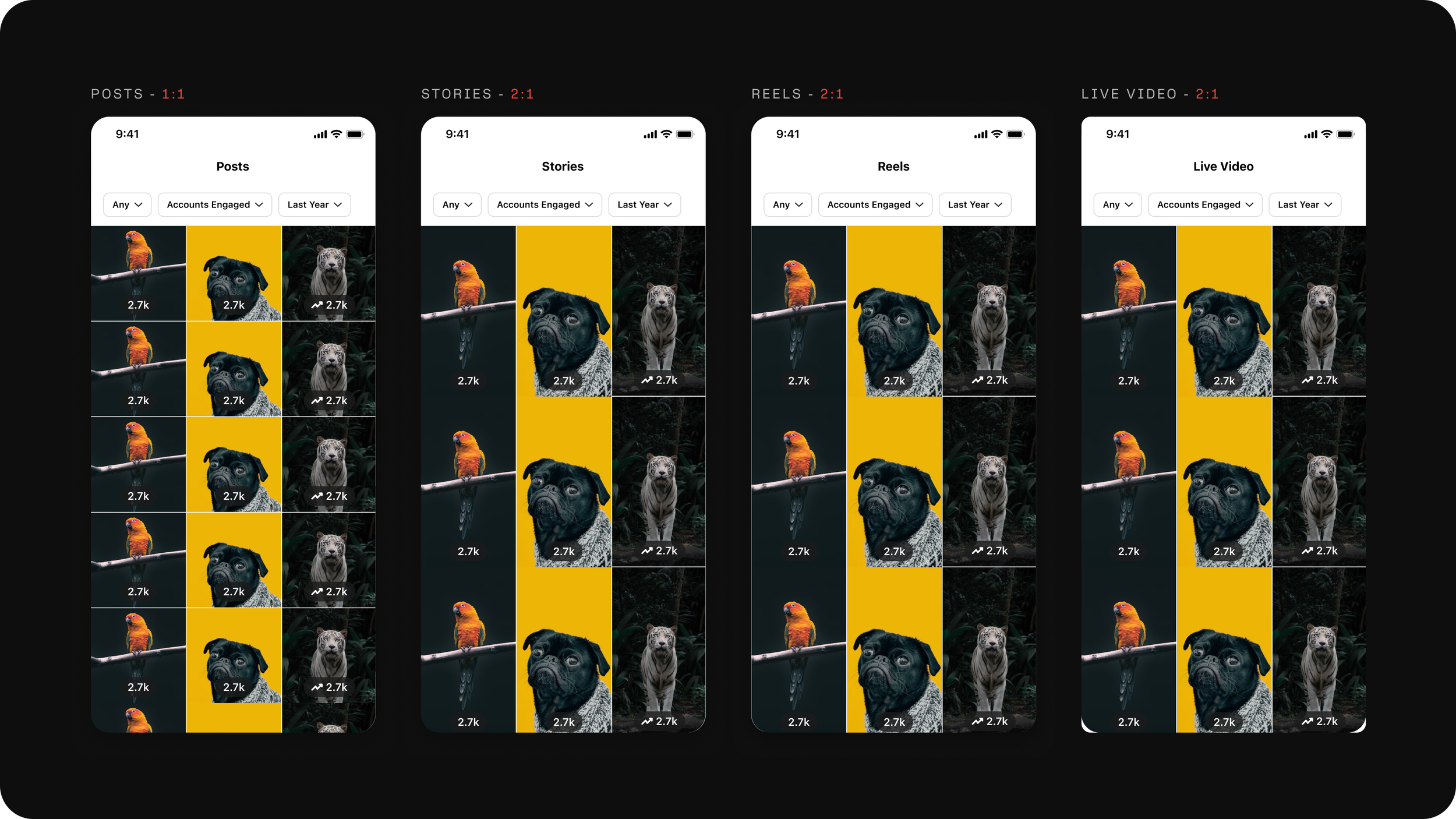
Thumbnail Problem
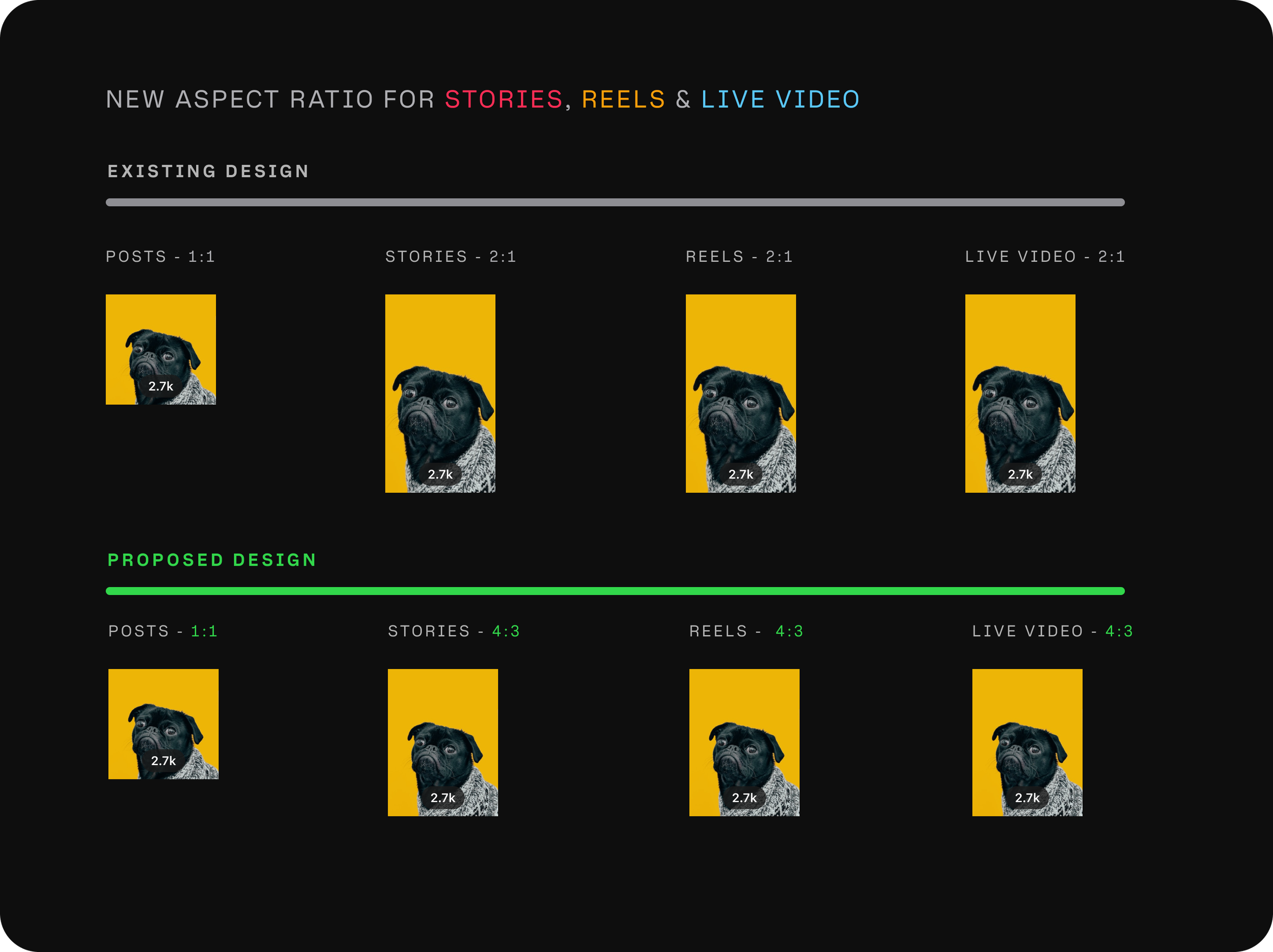
Proposed a design where I converted the 2:1 aspect ratio of Stories, Reels and Live Video to 4:3 which works for all types of media, also aligns company direction and gives us more vertical UI real estate.We created a new thumbnail aspect ratio of 4:3 that was agnostic of the media type. All we are doing is zooming the content on the posts. Small but mighty update to drive consistency across Instagram.
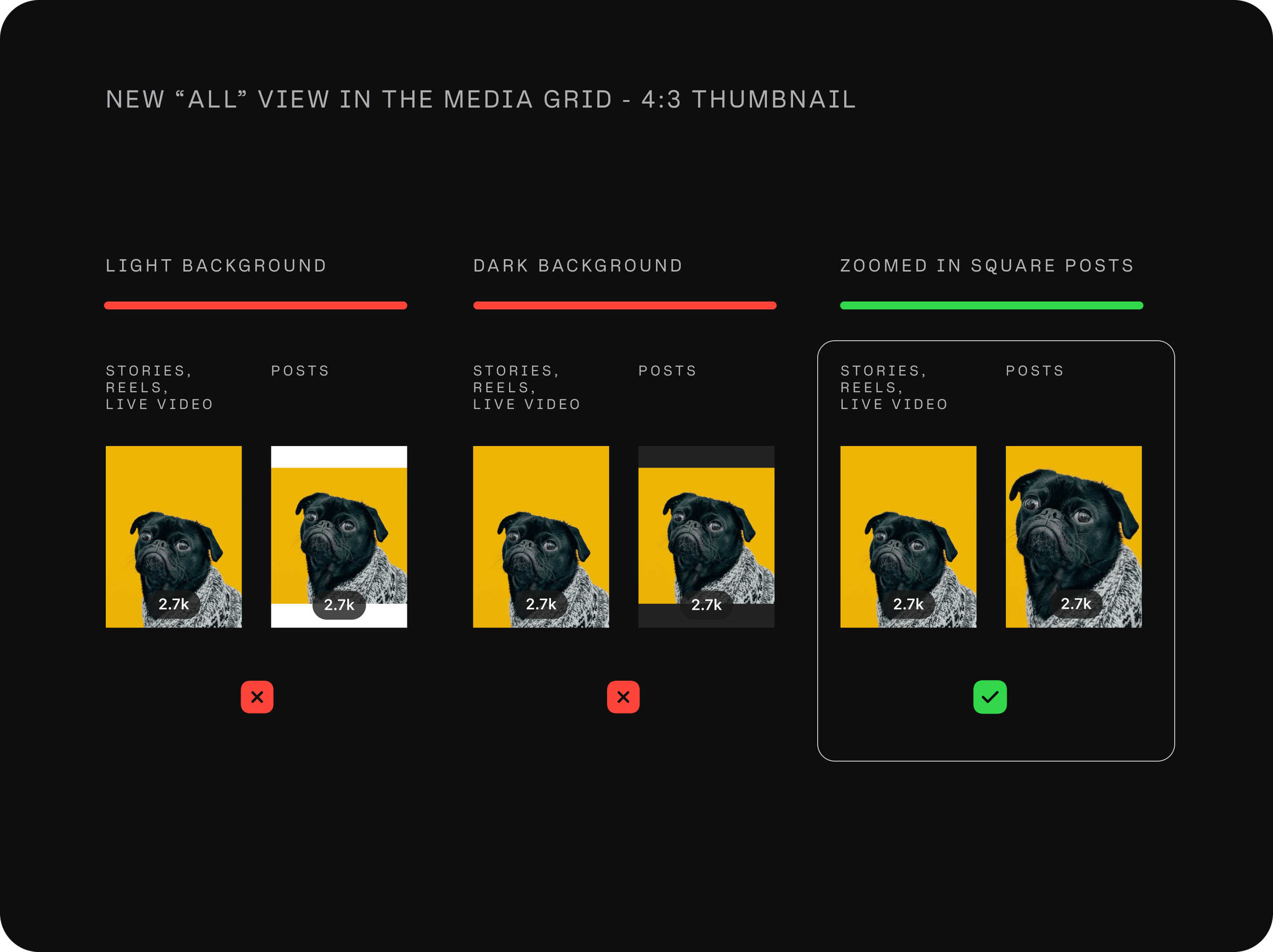
Final Solution
Consolidating the Enrty POINT
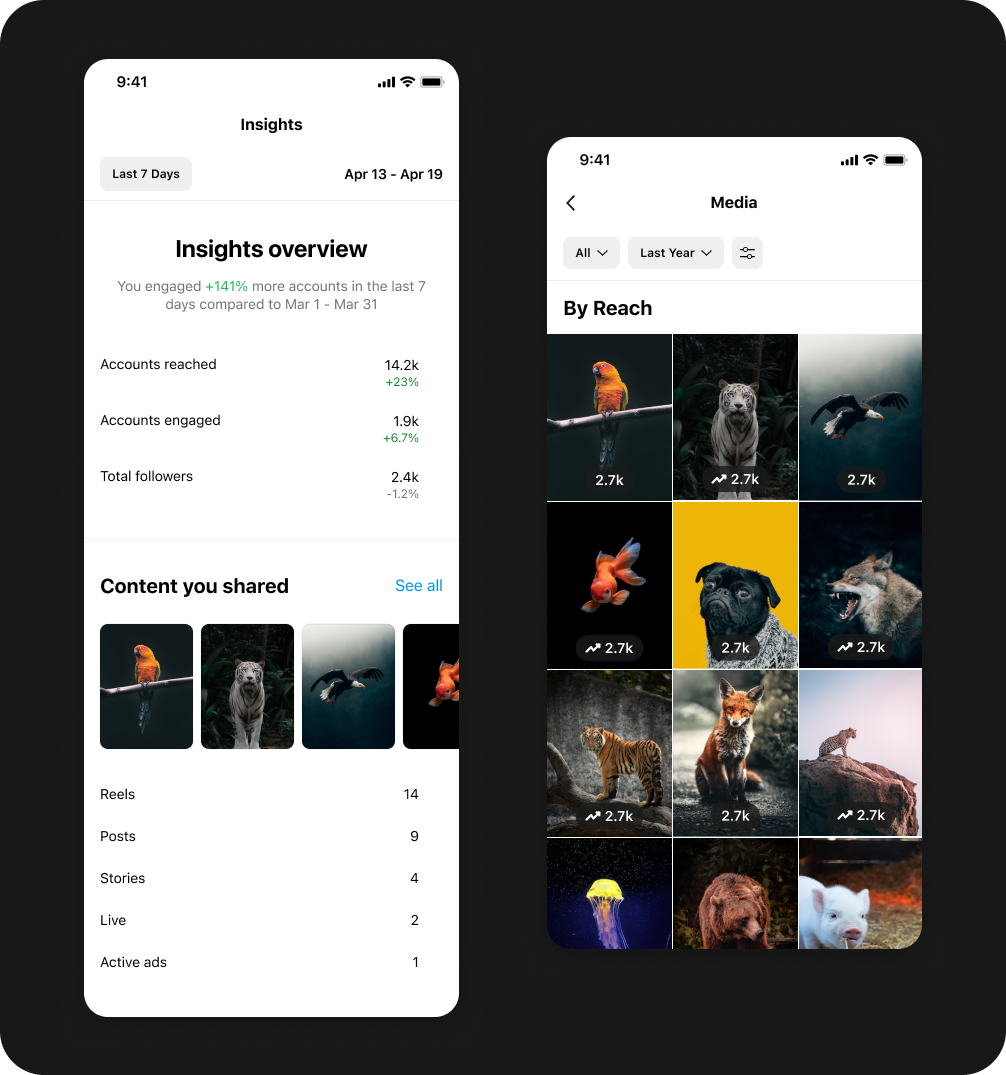
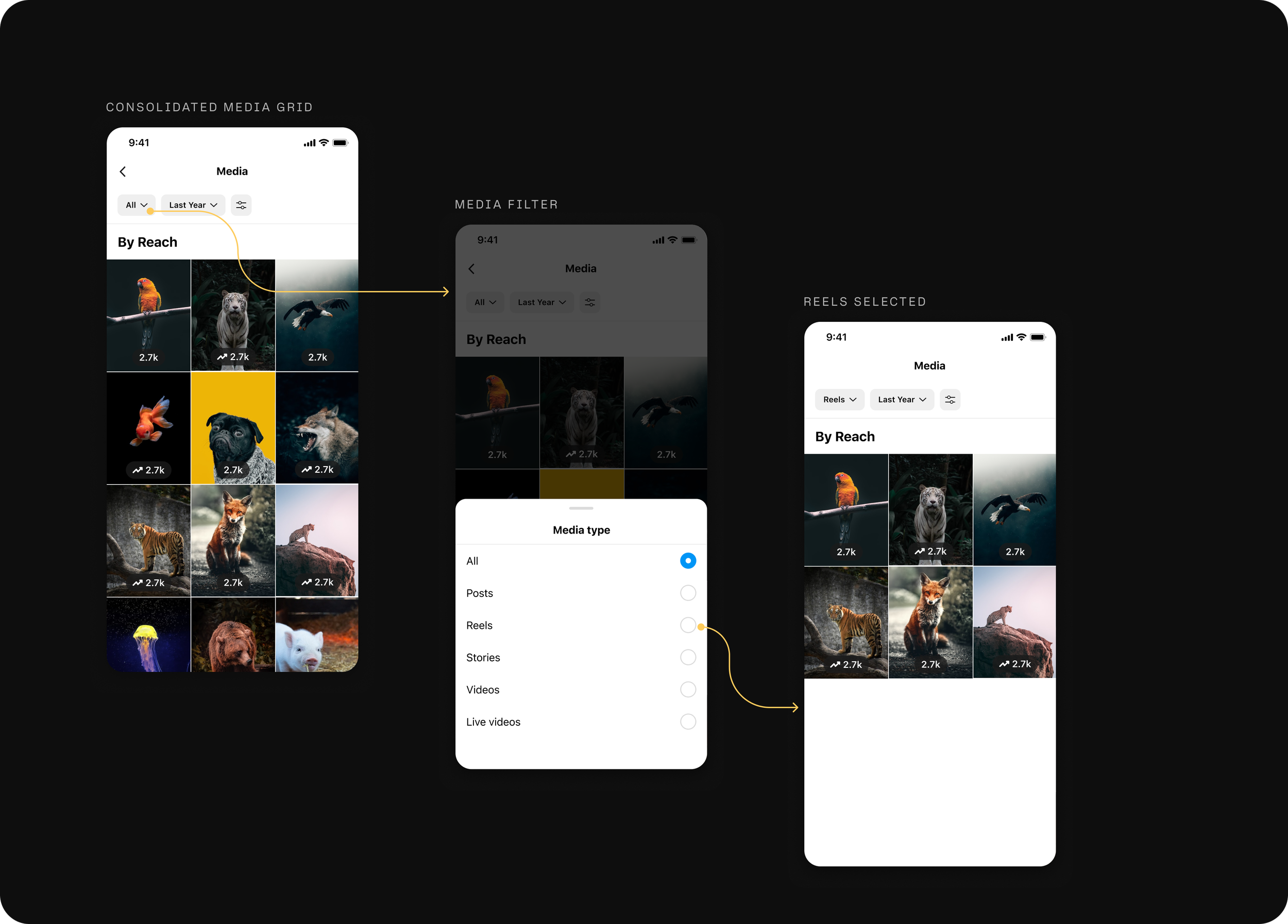
Now we have a more streamlined view where the user can choose to see either all of their content or a specific type of content. We also introduced a new media grid for ads. Users want to see all of their content together but they want to see their ads separately because they pay for them and want to understand how they are performing.
New ALL CONTENT VIEW
Introducing a new view that shows you all the content and a filter that let's you filter content by type. The user can easily see all of their reels and their performance or see performance of all the content and ads across their Instagram account.
Sort & FILter SYSTEM
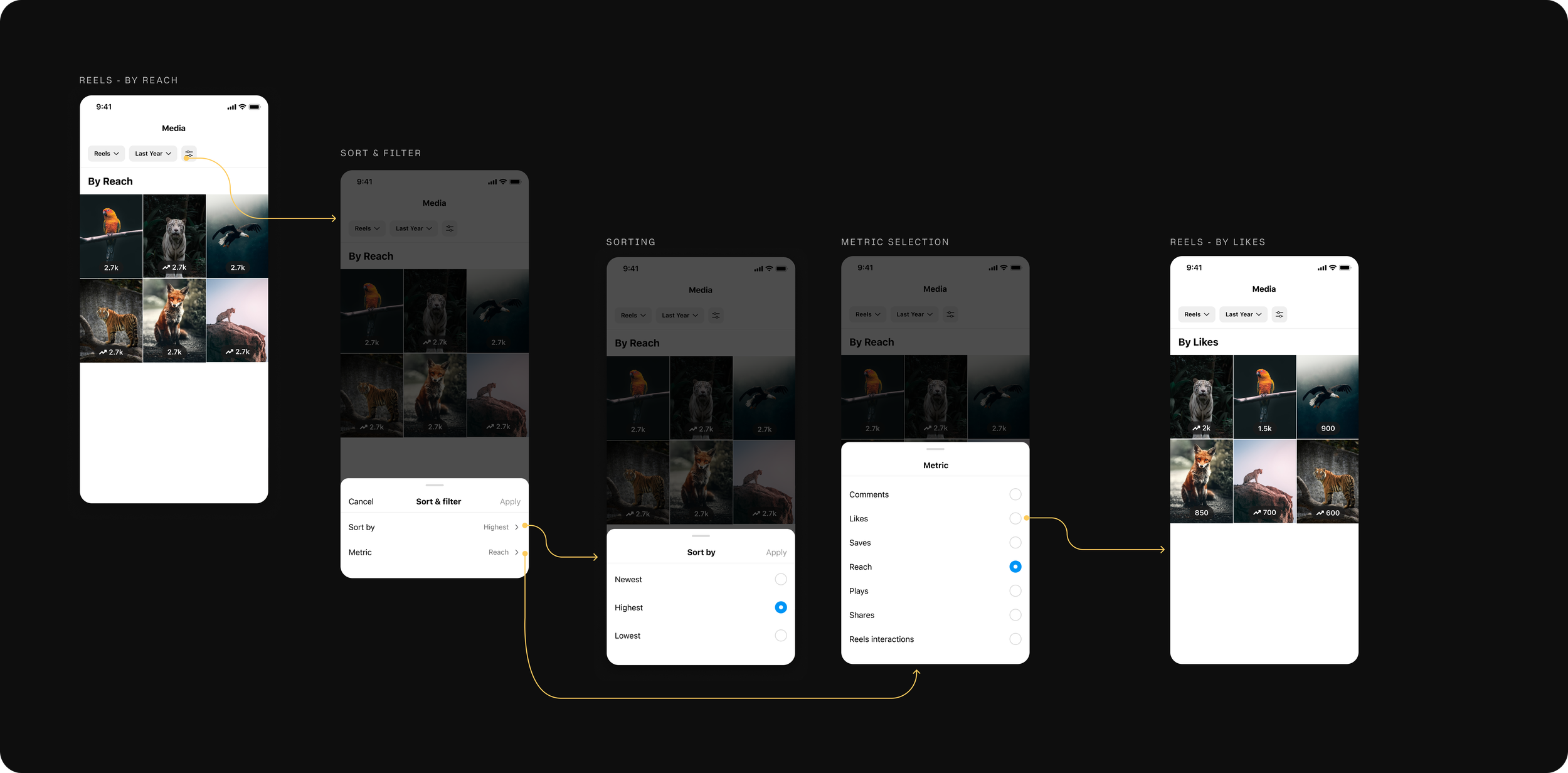
A simple and scalable solution for sorting your content by a selected metric (Reach, Likes, etc.) and ability to filter the content using robust filters.
Notable REsults
-
There was small increase in impressions on this surface but a large increase in user engagement.
-
This was huge as it established how showing more value to creators and advertisers lead to increase in users re-boosting the same content to re-create success.
-
This simplified designs and code base overall and made it easier to scale this system content presentation and analysis.